


ROLLER to Salesforce Booking Sync
ROLLER Bookings <-> Salesforce Opportunities
Automatically create a Salesforce Opportunity for every significant ROLLER booking, giving your sales team real-time pipeline visibility without manual CRM entry.
IntelliPaaS Integration Pack for ROLLER and Salesforce transforms the way you track and manage group bookings and corporate events. When a significant booking is confirmed in ROLLER—such as a birthday party, a school group, or a corporate event—IntelliPaaS automatically creates a linked Opportunity record in Salesforce. This Opportunity is pre-populated with the booking details, the value, and the expected date, giving your sales team an accurate, real-time view of your group bookings pipeline without requiring manual CRM data entry.
Group bookings and corporate events represent some of the highest-value revenue streams for venue operators, yet they are frequently tracked in disconnected tools—spreadsheets, email threads, or informal notes—because manually entering each confirmed booking into Salesforce is simply too time-consuming. The result is a CRM that under-represents the true pipeline, making it impossible to forecast revenue accurately or manage the sales team's follow-up activity effectively. IntelliPaaS solves this by making Opportunity creation a zero-effort automatic process: every qualifying booking that lands in ROLLER immediately appears in Salesforce, correctly valued and attributed.
The downstream commercial benefits are substantial. With all group bookings reflected as Salesforce Opportunities, your sales team can run pipeline reports that accurately represent future committed revenue, manage follow-up tasks and renewal conversations directly in Salesforce, and trigger automated outreach sequences for post-event upsells and rebooking offers. Leadership gains the reliable, real-time data they need to make staffing, pricing, and capacity decisions with confidence. Over time, this creates a feedback loop between your operational booking data and your commercial strategy that simply isn't possible when the two systems operate in isolation.
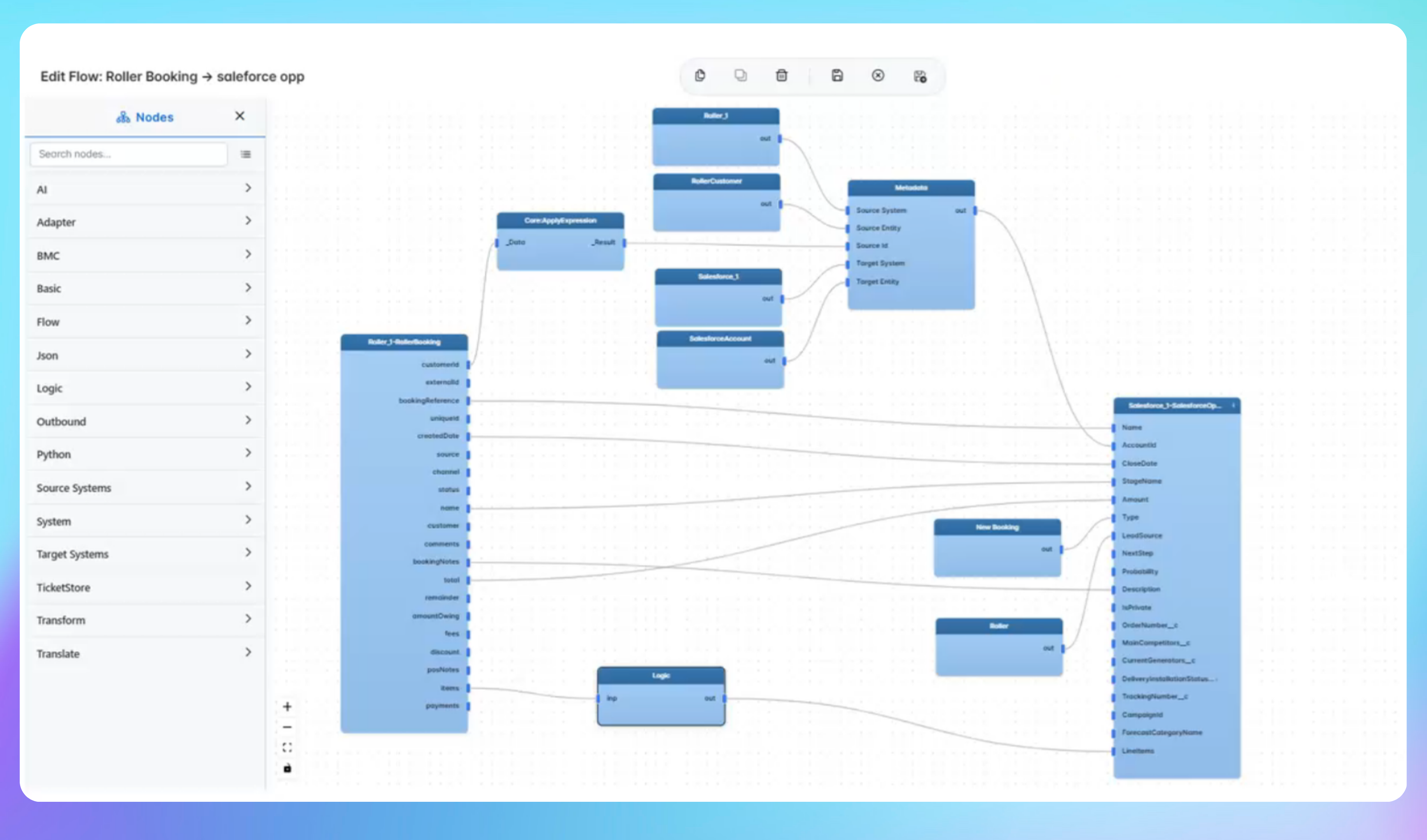

Automated Booking-to-Opportunity Sync from ROLLER to Salesforce
- A significant booking is confirmed in ROLLER—such as a party, group booking, or corporate event—and IntelliPaaS detects the confirmation event in real time via ROLLER's webhook or API.
- IntelliPaaS extracts the booking details including guest or company name, event type, booking date, party size, and total value, then maps them to the appropriate Salesforce Opportunity fields.
- A new Opportunity is created in Salesforce under the correct Account, pre-populated with all extracted booking data and set to the appropriate sales stage, making it immediately visible in pipeline reports and dashboards.
- The Opportunity triggers any configured Salesforce automation—such as a follow-up task, an email alert to the account manager, or a post-event upsell sequence—ensuring the commercial team acts on every high-value booking without manual prompting.
Use Case Highlights








Connectors in this Pack
Explore the individual connectors used in this integration:


Try for Free

.svg)


