When a service goes down, PagerDuty pages the on-call engineer while ServiceNow holds the official incident record. Two systems, one incident. The question every IT operations team asks is simple: how do you keep both in step without someone rekeying every status change?
How do I keep PagerDuty and ServiceNow in sync during an incident?
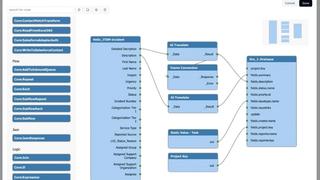
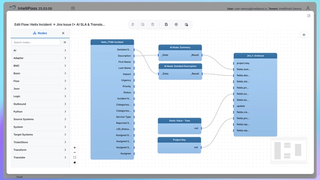
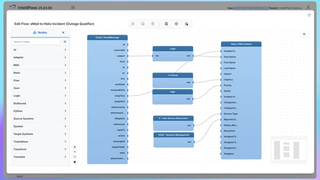
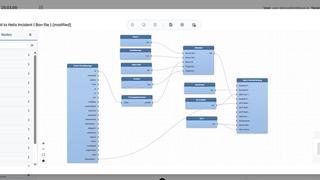
IntelliPaaS keeps PagerDuty and ServiceNow in sync during an incident by syncing incident status, urgency and comments in both directions in real time, so the on-call tool and the ITSM system of record always show the same state. When an engineer acknowledges or resolves an incident in PagerDuty, ServiceNow reflects it in real time, and a comment added by the service desk in ServiceNow appears against the matching PagerDuty incident. No one copies updates by hand, and there is no lag between the two views of the same event.
What breaks when PagerDuty and ServiceNow are not synced
Most teams start by connecting the two loosely: PagerDuty raises the alert, someone opens a ServiceNow incident, and from there the two records live separate lives. During a major incident that gap costs time and accuracy.
- Status drift: PagerDuty says resolved, ServiceNow still says in progress, and the SLA clock keeps running on a closed problem.
- Lost context: the fix noted in PagerDuty never reaches the ServiceNow record the auditors will read later.
- Duplicate work: responders update one system, then a coordinator retypes it into the other while the incident is still live.
- Reporting gaps: incident metrics pulled from ServiceNow miss what actually happened in PagerDuty.
How the two-way sync works
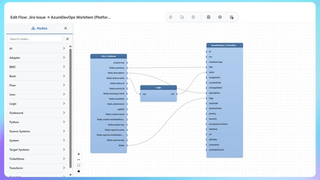
- PagerDuty raises an incident. IntelliPaaS creates or matches the corresponding ServiceNow incident and stores the link between the two records.
- Status and urgency changes flow both ways. Acknowledge, escalate or resolve in either system and the other reflects it in real time.
- Comments stay together. A note added in ServiceNow posts to the PagerDuty incident, and a PagerDuty note posts back to ServiceNow, so the full timeline lives in both places.
- The link holds until close. When the incident is resolved on one side, IntelliPaaS closes the matching record on the other and stops the sync for that incident.
Which fields stay in sync
The sync covers the fields that decide how an incident is triaged and reported:
- Incident state: triggered, acknowledged and resolved map to the matching ServiceNow states.
- Urgency and priority, so an escalation in PagerDuty raises the ServiceNow priority too.
- Comments and work notes, in both directions.
- The record identifiers that tie a PagerDuty incident to its ServiceNow number for clean reporting.
Why regulated teams run this on-premise
Incident data often includes system names, customer references and security detail that a bank, hospital or government team cannot send through a shared cloud. IntelliPaaS runs fully on-premise or air-gapped, so the sync between PagerDuty and ServiceNow can operate inside your own network with no incident data leaving it. The same platform carries 150+ connectors and supports ISO 27001 aligned deployment, which is why regulated operations teams use it to connect tools that would otherwise stay in separate silos.
Frequently asked questions
Is the PagerDuty ServiceNow sync one-way or two-way? It is two-way. Changes made in either PagerDuty or ServiceNow update the other, so responders and the service desk can each work in their own tool.
Does it create duplicate incidents? No. IntelliPaaS matches each PagerDuty incident to a single ServiceNow record and keeps that pairing, so one event stays one incident in both systems.
Can it run without sending incident data to the cloud? Yes. IntelliPaaS can be deployed on-premise or air-gapped, so the whole sync runs inside your own network.
PagerDuty for the response, ServiceNow for the record, and a live link between them so neither falls behind. IntelliPaaS ships this as a ready-made PagerDuty and ServiceNow incident sync pack you can turn on without building the integration yourself. You can also review the individual PagerDuty and ServiceNow connectors.