


ROLLER to Campaign Monitor Sync
ROLLER <-> Campaign Monitor
Automatically add every new ROLLER guest as a tagged Campaign Monitor subscriber, keeping your email lists current and segmented without any manual uploads.
IntelliPaaS Integration Pack for ROLLER and Campaign Monitor seamlessly connects your venue's ticketing and booking platform with your email marketing tool. Whenever a guest completes a purchase in ROLLER, IntelliPaaS automatically adds them as a subscriber to a Campaign Monitor list. You can configure this to target new customers only or all purchasers, and subscribers are tagged with relevant data like the event type they attended, enabling highly personalised and targeted follow-up campaigns.
The operational impact is felt immediately in the hours your marketing team no longer spends on manual data management. The traditional workflow—exporting a CSV from ROLLER at the end of the week, de-duplicating it, formatting it for import, and uploading it to Campaign Monitor—is replaced by a seamless, real-time sync that runs automatically with every purchase. This means a guest who booked this morning is already in Campaign Monitor and eligible for a welcome email this afternoon, rather than being picked up in next Friday's export batch.
The segmentation possibilities that open up with clean, real-time data are where the real revenue uplift comes from. When every subscriber arrives in Campaign Monitor already tagged with their event type, spend level, or visit date, your team can build highly targeted journeys without the manual tagging work that usually creates bottlenecks. A guest who attended a birthday party event can automatically receive a reminder email twelve months later. A first-time visitor can enter a nurture sequence designed to encourage a second booking. These personalised, timely campaigns consistently outperform generic blasts—and with IntelliPaaS handling the data pipeline, your team can focus entirely on the creative strategy rather than the data plumbing.
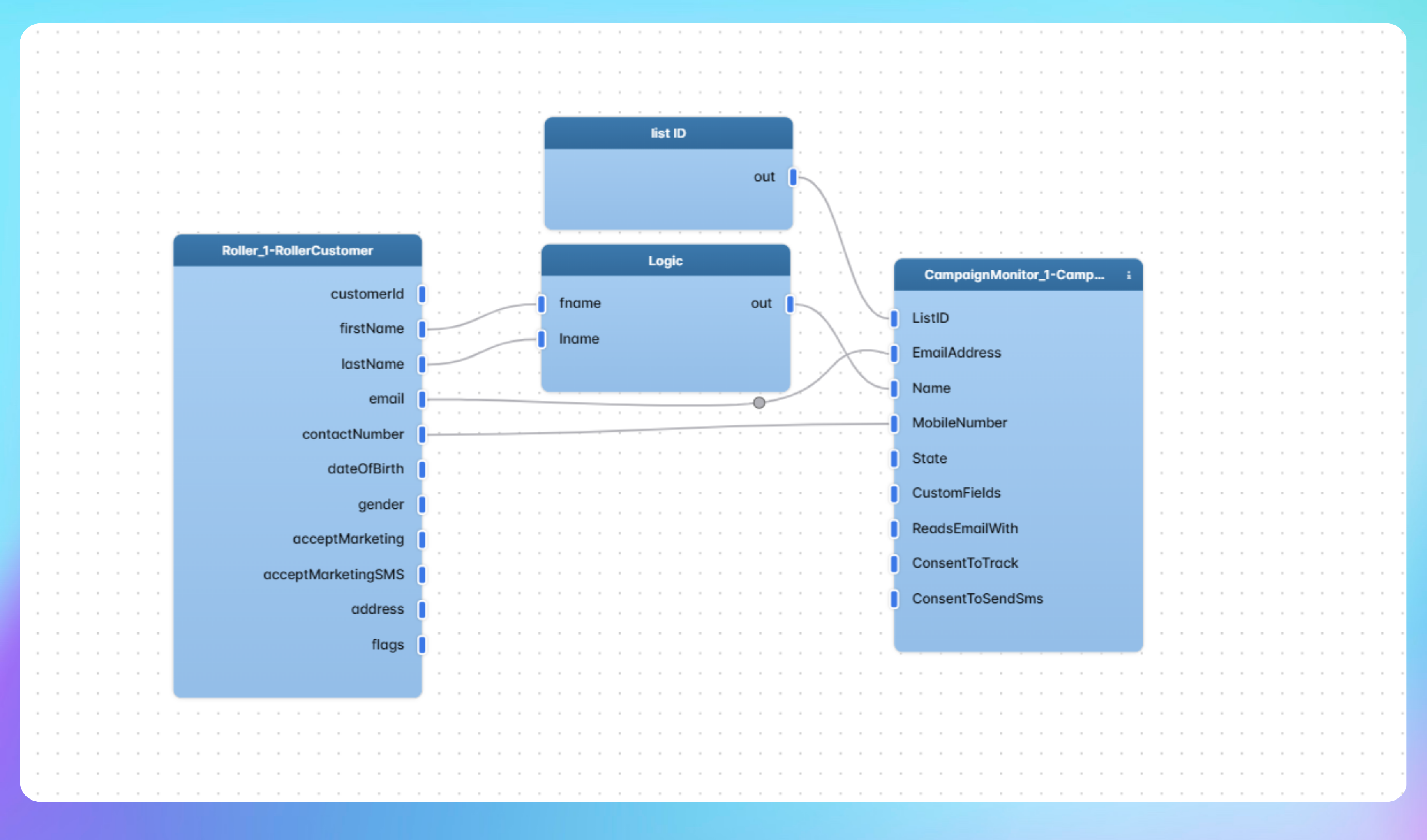

Automated Subscriber List Sync from ROLLER to Campaign Monitor
- A guest completes a purchase in ROLLER and IntelliPaaS detects the transaction event in real time, capturing the guest's contact details and purchase metadata such as event type and spend amount.
- IntelliPaaS checks whether the guest already exists as a subscriber in Campaign Monitor to prevent duplicates, then either creates a new subscriber record or updates the existing one with the latest purchase data.
- The subscriber is added to the appropriate Campaign Monitor list and tagged with the relevant attributes—such as event type attended or new vs. returning guest—ready for immediate segmented campaign targeting.
- If a welcome automation or post-visit sequence is configured in Campaign Monitor, it is triggered automatically for the new subscriber, beginning the guest engagement journey without any manual intervention.
Use Case Highlights








Connectors in this Pack
Explore the individual connectors used in this integration:


Try for Free

.svg)


