Azure DevOps to Jira Sync

Azure DevOps <-> Jira

Fully bidirectional synchronisation of work items, comments and attachments between Azure DevOps and Jira so product and engineering teams always share one consistent view.

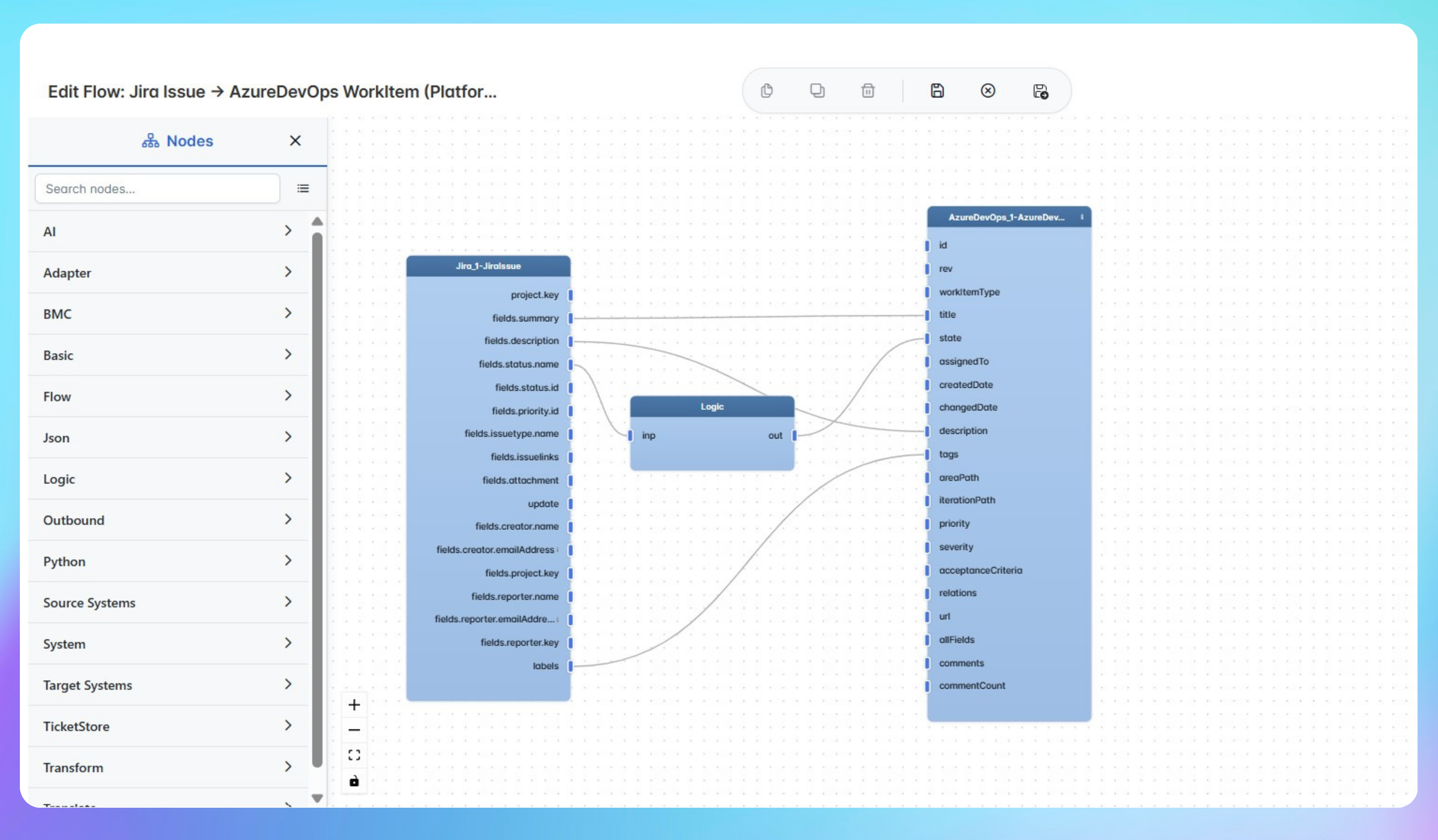
When product teams work in Jira and engineering teams work in Azure DevOps, every work item that needs visibility in both tools has to be manually created and kept updated in two places. Comments added in DevOps don't appear in Jira, attachments don't transfer, and status changes in one tool rarely make it across to the other. This integration pack creates a fully bidirectional connection between Azure DevOps and Jira. When a work item is created in Azure DevOps, IntelliPaaS generates a matching Jira issue with the same title, description and initial status. Subsequent comments, attachments and status updates sync continuously in both directions so teams always work from the same current picture regardless of which tool they use.
IntelliPaaS Logo
Azure DevOps + Jira

Bi-Directional Sync for Issues, Comments and Attachments Between Azure DevOps and Jira

See how IntelliPaaS keeps Azure DevOps work items and Jira issues fully aligned - syncing issues, statuses, comments and attachments so teams work in their preferred tool without losing visibility.
IntelliPaaS Logo
Why Deploy This Use Case
  • A work item is created in Azure DevOps and IntelliPaaS processes it successfully, generating a matching Jira issue with the same title, description and initial status.
  • A comment is added in Azure DevOps and syncs to the linked Jira issue automatically so both teams see the same conversation.
  • A file attachment is added in Azure DevOps and transferred to the corresponding Jira issue without manual upload.
  • The work item status moves from To Do to Doing in Azure DevOps and IntelliPaaS updates the linked Jira issue to In Progress automatically.

Use Case Highlights

Automatic issue creation
New Azure DevOps work items automatically generate matching Jira issues with title, description and initial status so both teams start with the same information.
Bidirectional status sync
Status changes in Azure DevOps sync to the linked Jira issue immediately and vice versa so both teams always see the current state of every work item.
Comment synchronisation
Comments added in either tool flow to the other automatically so product and engineering teams share one complete conversation without switching platforms.
Attachment transfer
File attachments added in Azure DevOps are transferred to the linked Jira issue automatically, and vice versa, so both teams always have the supporting evidence.
Eliminated manual rekeying
Engineering and product teams stop manually rekeying work item details, comments and attachments across two tools - the integration handles all cross-platform updates.
Preferred tool flexibility
Both teams work in the tool they prefer while IntelliPaaS ensures every status change, comment and attachment is reflected in the other platform without any manual step.
AI-Enhanced Data Transformation
This is some text inside of a div block.
Visual Flow Builder
This is some text inside of a div block.
Pro-Code Extensibility
This is some text inside of a div block.
Global Deployment Options
This is some text inside of a div block.
Enterprise-Grade Security
This is some text inside of a div block.
Observability & Monitoring
This is some text inside of a div block.
Connect all your applications

Connectors in this Pack

Explore the individual connectors used in this integration:

IntelliPaaS Logo
Try for Free

Try for Free

Whether you’re exploring IntelliPaaS, need product guidance, or want to book a tailored demo – we’re here to help.
Greeting icon
Tell us how we can help
IntelliPaaS Logo
Thank you! Your submission as been received.
Thank you! Your submission has been received!
Oops! Something went wrong while submitting the form.

Ready to Take Control of Your Integrations?

Request your access to IntelliPaaS and see how teams like yours are eliminating risk, accelerating time-to-value and simplifying complexity.