


ServiceNow to Power BI Analytics
ServiceNow <-> Power BI
Automatically push ServiceNow incident data to Power BI in real time — giving IT managers live SLA compliance dashboards without manual exports or scheduled refreshes.
The IntelliPaaS ServiceNow to Power BI Integration Pack automates IT service reporting by continuously pushing incident data from ServiceNow into a Power BI dataset. As incidents are created, updated and resolved in ServiceNow, IntelliPaaS transfers the data to Power BI in real time — including incident category, priority, resolution time and SLA compliance status. IT managers and leadership gain live dashboards that reflect the actual state of service delivery without manual exports or scheduled refreshes.
Without this automation, IT reporting teams must schedule regular exports from ServiceNow, clean and transform the data and upload it to Power BI on a fixed cadence. During a major incident wave, this means leadership dashboards are always one export cycle behind reality — making it impossible to see live SLA breach risk or make real-time resourcing decisions. The manual process also ties up analyst time that would be better spent investigating incidents than maintaining data pipelines.
With the integration running, Power BI reflects the current state of ServiceNow at all times. IT managers can see live breach risk across open incidents, filter by priority or category and identify teams under pressure before SLAs are breached rather than after. Leadership gains the confidence to report service performance to stakeholders using numbers that are accurate to the minute. Over time, the continuous data feed also enables trend analysis on incident volumes, resolution times and SLA compliance that would be impossible with intermittent manual exports.
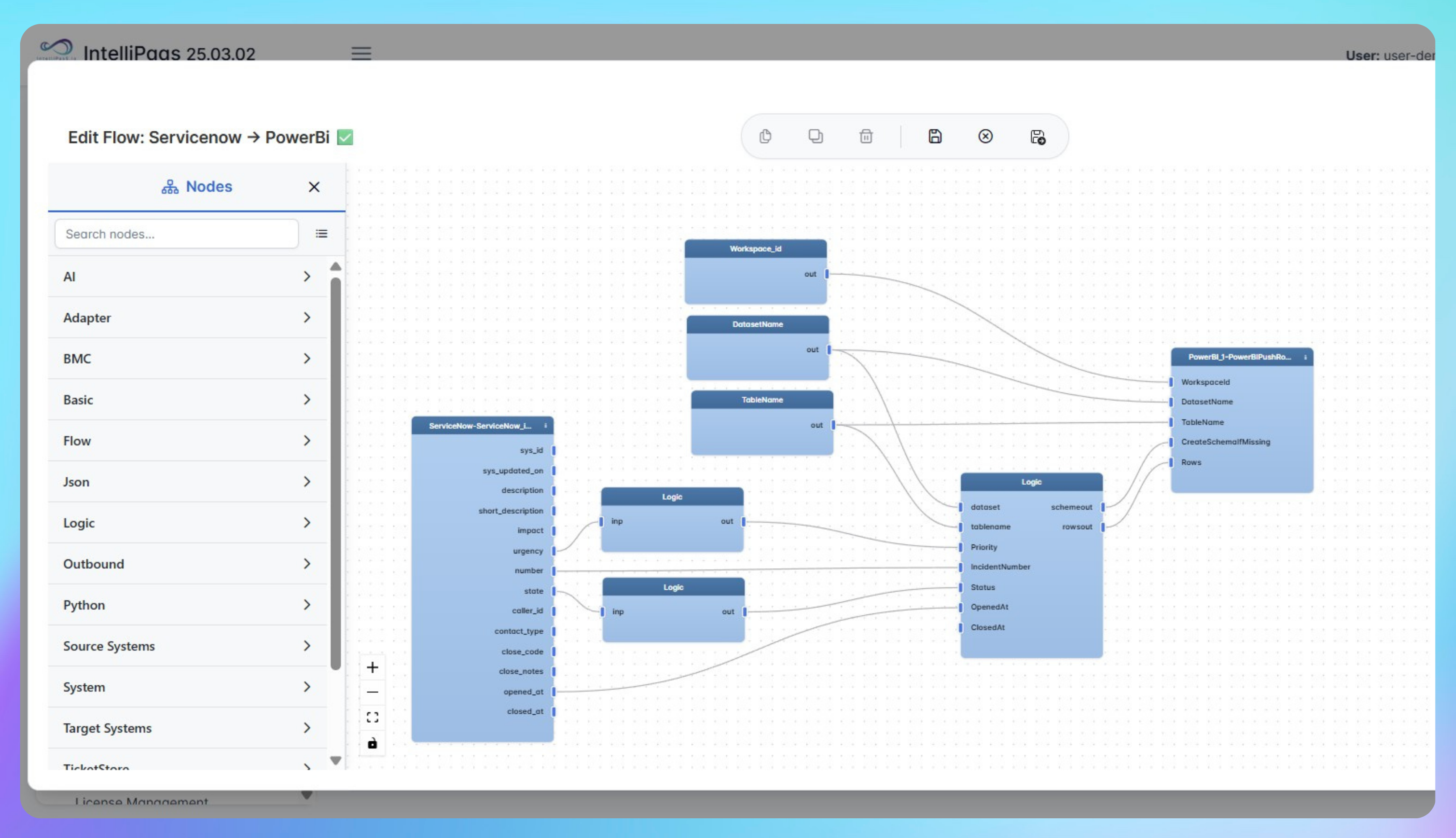

Real-Time Incident and SLA Reporting from ServiceNow to Power BI
- Capture ServiceNow incident create and update events through the IntelliPaaS adapter.
- Push updates to Power BI using the Push Rows connector for real-time dashboard changes.
- Visualize total tickets, open vs closed counts, priorities, and SLA compliance in one place.
- Track incident progression from New to Resolved to Closed with calculated durations.
- Remove manual reporting cycles and keep stakeholders aligned on current service health.
- Use live metrics to spot issues early and continuously improve IT support performance.
Turn ServiceNow into a live analytics source automate incident and SLA reporting with IntelliPaaS.
Use Case Highlights








Connectors in this Pack
Explore the individual connectors used in this integration:



Try for Free

.svg)


