


Salesforce to BMC Helix Sync
Salesforce <-> BMC Helix
Automatically sync escalated Salesforce cases with BMC Helix ITSM incidents — keeping support and IT teams aligned with bidirectional, real-time status updates.
The IntelliPaaS Salesforce to BMC Helix Integration Pack brings true bidirectional automation to your case and incident management workflow. When a Salesforce support case is escalated to IT and requires a corresponding ITSM incident, IntelliPaaS automatically creates a linked record in BMC Helix ITSM with all the relevant case details pre-populated. As the Helix incident is updated — status changes, resolution notes — those updates sync back to the Salesforce case automatically.
Without this automation, support agents escalating a case to IT must manually re-enter the customer context, case history and priority details into BMC Helix — a duplication of effort that wastes time and introduces the risk of information being lost in translation. IT teams working in Helix have no live visibility of what the customer-facing agent knows, and Salesforce agents must chase IT colleagues for status updates rather than seeing them reflected automatically in the case record.
With the integration active, Salesforce and BMC Helix stay in sync throughout the lifecycle of every escalated case. When IT resolves an incident in Helix, the resolution notes and status update appear on the Salesforce case immediately, allowing agents to close the loop with the customer without any manual handoff. This end-to-end automation reduces resolution time, eliminates duplicate data entry and gives both support and IT teams a shared, accurate view of every incident from open to closed.
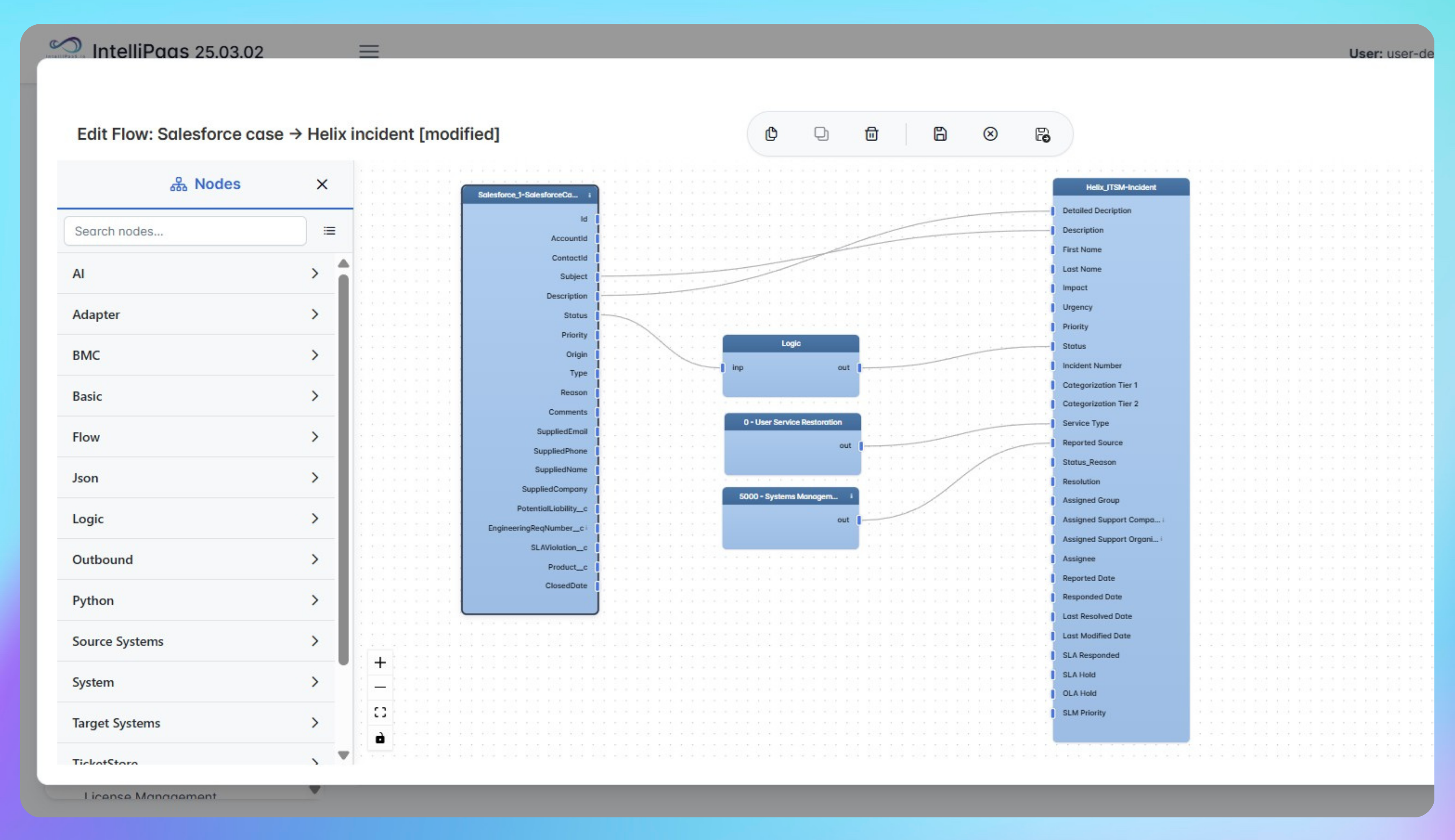

Bidirectional Case and Incident Sync: Salesforce to BMC Helix
- Instantly create Helix incidents from new Salesforce cases
- Push attachments, status changes and updates in both directions
- See complete ticket details and file links on both platforms
- Real-time synchronization removes manual data entry and errors
- Speed collaboration between service desk and IT operations
- Achieve full process visibility for all cases and incidents
Upgrade your operations with seamless, bidirectional syncing - try IntelliPaaS today.
Use Case Highlights








Connectors in this Pack
Explore the individual connectors used in this integration:



Try for Free

.svg)


