


PagerDuty to Confluence Postmortems
PagerDuty <-> Confluence
Automated AI-generated postmortem documentation in Confluence when PagerDuty incidents are resolved.
Writing postmortems after every incident is time-consuming and often deprioritised under pressure. This integration pack eliminates that burden entirely. The moment an incident is marked as resolved in PagerDuty, IntelliPaaS captures the full incident history including descriptions and troubleshooting comments, passes the data through a customisable AI logic node and automatically creates a formatted postmortem page in Confluence with the incident summary, resolution notes and an AI-generated conclusion. Engineering teams get comprehensive documentation captured every time without any manual writing step, and can move on to the next task the moment the incident closes.
Without this integration, engineers must set aside time after every resolution to manually reconstruct the incident timeline, consolidate comments from multiple sources and write a coherent postmortem page in Confluence. Under deadline pressure or during high-incident periods that documentation step is frequently skipped or completed days later from fading memory. Institutional knowledge about what broke and how it was resolved is lost, making it harder to prevent or respond to similar issues in future.
With the integration active, postmortem documentation happens automatically and consistently every time a PagerDuty incident is resolved. Engineers close an incident, move on to their next task and find a complete, AI-structured Confluence page already waiting — covering the problem summary, all troubleshooting steps and a clear conclusion. Over time the team builds a searchable Confluence knowledge base of incident learnings with zero manual effort, improving future response speeds and giving leadership a reliable audit trail of how operational issues are handled and resolved.
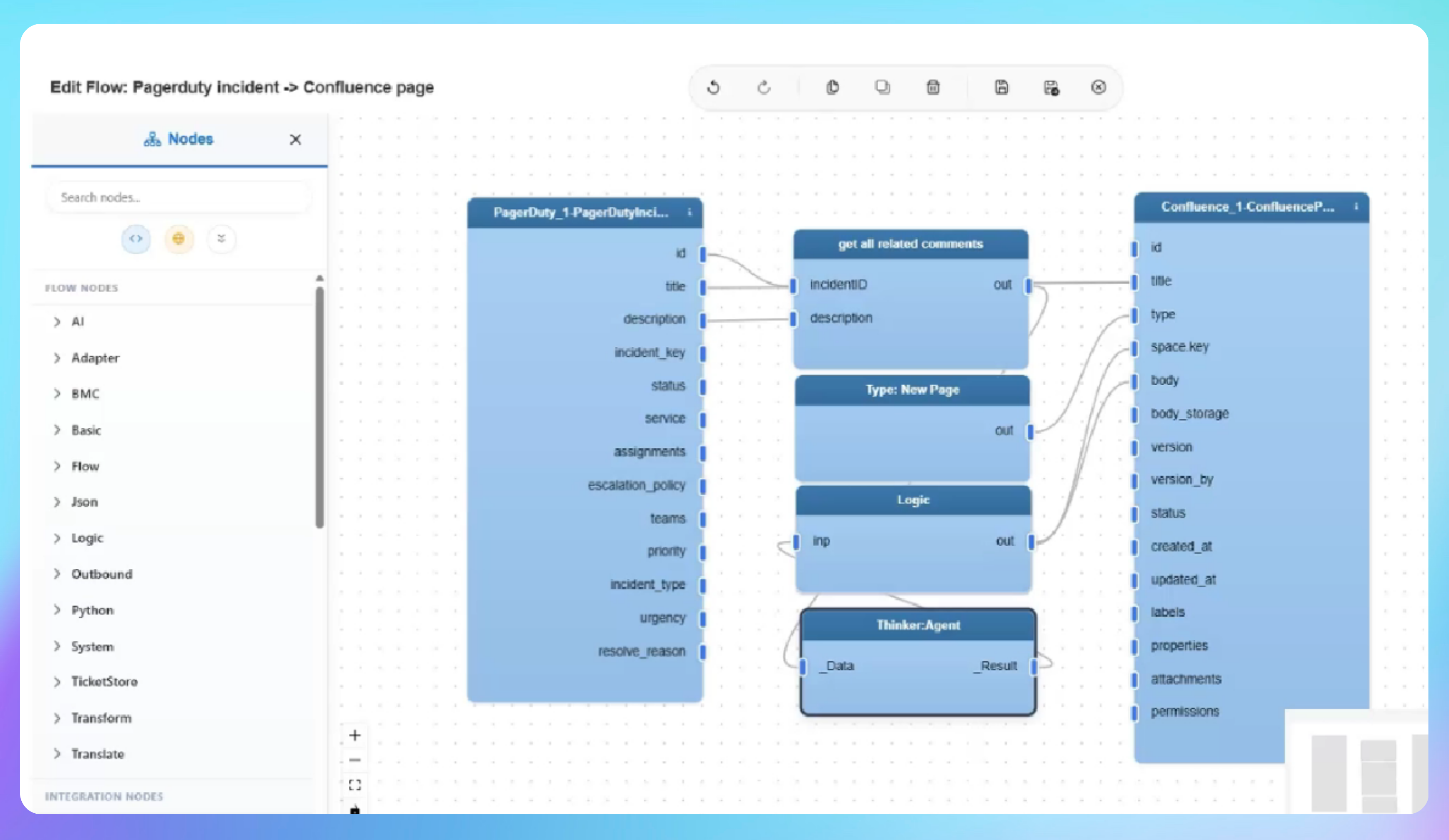

See AI-Powered Postmortem Automation in Action
- A new high-urgency incident is created in PagerDuty with a description and multiple troubleshooting comments added as the team works through the issue
- The incident is resolved with a concluding resolution note and IntelliPaaS detects the trigger event immediately
- The incident data is processed through the AI logic node and the job completes successfully
- A brand-new postmortem page appears in Confluence containing all incident details, resolution notes and an AI-generated summary
Use Case Highlights








Connectors in this Pack
Explore the individual connectors used in this integration:



Try for Free

.svg)


