


BMC Helix to ServiceNow Sync
BMC Helix <-> ServiceNow
Automated Incident and Status Sync
When a new incident is created in BMC Helix, your ServiceNow team has no visibility unless someone manually re-enters it. That means delayed responses, duplicated effort, and incidents that fall through the cracks between platforms. This integration pack connects BMC Helix and ServiceNow so every new Helix incident automatically generates a matching ServiceNow ticket with the correct urgency and details. Comments, priority changes and file attachments sync in real time from that point forward. Both systems stay current without anyone touching either platform manually.
Without this integration, the two largest ITSM platforms in an enterprise environment operate as isolated silos. BMC Helix teams raise and manage incidents with no corresponding record in ServiceNow, and ServiceNow teams have no visibility into what their Helix counterparts are working on. Priority escalations made in Helix do not update ServiceNow urgency, comments added by Helix engineers do not reach the ServiceNow ticket and file attachments must be uploaded separately to both systems. The resulting information asymmetry between teams slows resolution times and creates gaps in the audit trail that compliance teams must later piece together manually.
With the integration running, both platforms stay aligned automatically across every stage of the incident lifecycle. A Helix incident fires and ServiceNow receives a matching ticket immediately with the correct urgency. Engineers on both sides add comments and those notes appear in the other system within seconds. Priority escalations in either direction sync in real time, file attachments transfer automatically and resolution in either system closes the linked record in the other. Teams that previously maintained parallel manual processes across both ITSM platforms can now work independently in their preferred system with full confidence that the other team always has an accurate, current picture.
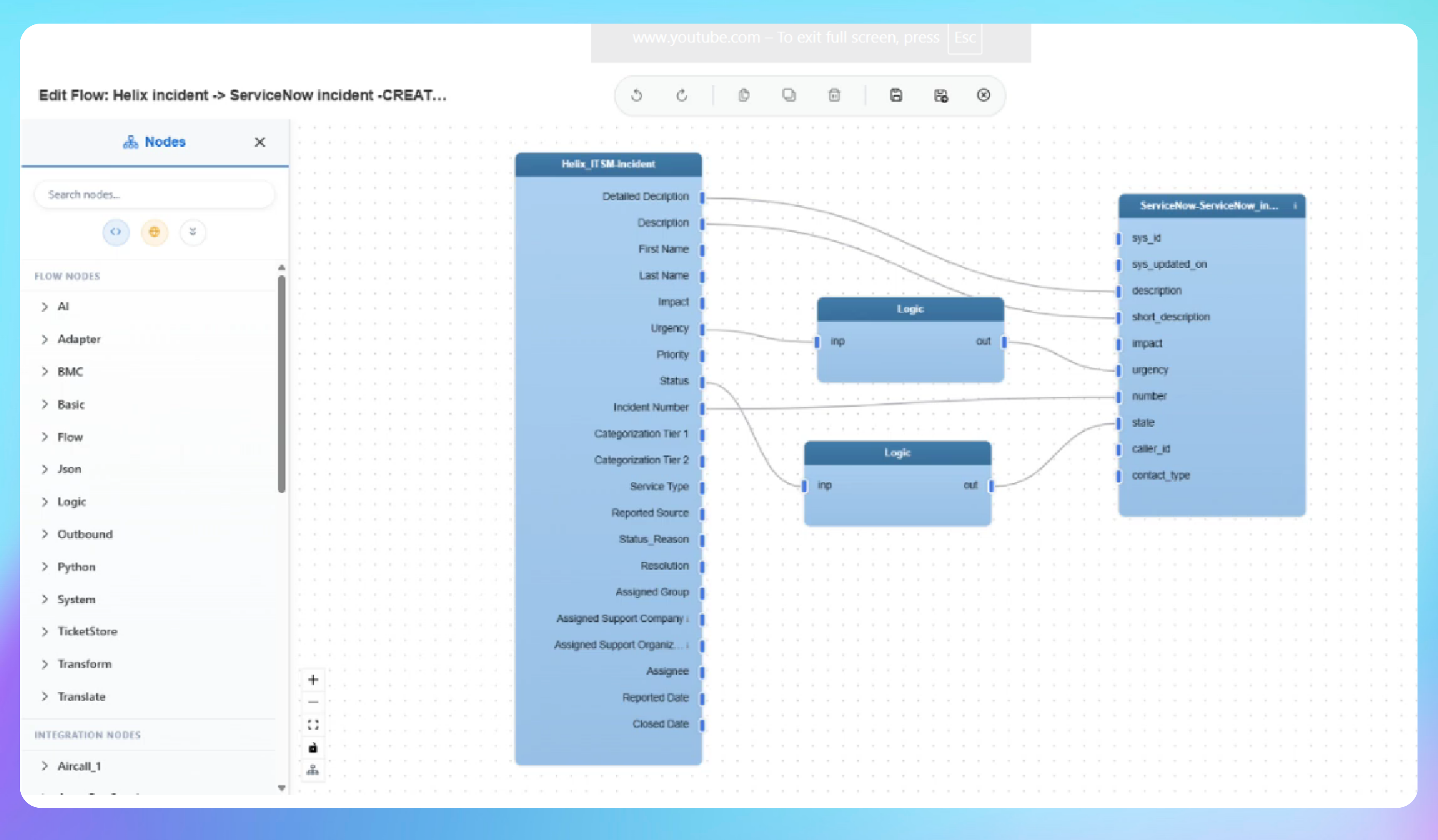

Automated Incident and Status Sync from BMC Helix to ServiceNow
- A new incident is created in BMC Helix with a subject, summary and priority level set to high.
- IntelliPaaS detects the new incident and automatically creates a matching ticket in ServiceNow with the same subject, summary and urgency.
- A comment is added to the Helix incident - it appears on the ServiceNow ticket within seconds.
- The priority is changed in Helix from high to critical - ServiceNow urgency updates automatically to match.
- A file attachment is added to the Helix incident and transferred to the corresponding ServiceNow record instantly.
Use Case Highlights








Connectors in this Pack
Explore the individual connectors used in this integration:



Try for Free

.svg)


