


Excel 365 to Google Sheets Sync
Excel 365 <-> Google Sheets
Automatically synchronise data, formatting and formulas between Excel 365 and Google Sheets so teams using different tools always see the same numbers.
Teams that work across both Microsoft Excel and Google Sheets often waste time on manual exports and copy-paste workflows to keep data consistent. This integration pack eliminates that entirely. Whenever you update a defined range in your Excel workbook—whether it is values, header formatting or calculated formulas—IntelliPaaS automatically applies the same content and structure to the linked range in Google Sheets. Both spreadsheets stay perfectly aligned so your teams can work in their preferred tool with complete confidence that everyone is looking at the same numbers.
The friction of maintaining two parallel spreadsheets is one of the most common hidden productivity costs in organisations that have mixed Microsoft and Google Workspace environments. Teams that use Excel for financial modelling or operational reporting, while collaborators on the Google Workspace side use Sheets for real-time access, end up in a constant cycle of export, reformat, and import that consumes hours of administrative time every week. Worse, the delay between an Excel update and the corresponding Sheets refresh means decisions are frequently made on stale data. IntelliPaaS eliminates this latency entirely by detecting Excel range changes and applying them to Google Sheets in real time, keeping both environments permanently in sync without any manual intervention.
The practical benefits are felt immediately across multiple workflows. Finance teams can maintain their complex Excel models while sharing a live Google Sheets view with stakeholders who prefer browser-based access. Operations managers can update capacity or inventory data in Excel and have field teams see the current figures in Sheets on their mobile devices within seconds. Reporting dashboards built in Google Sheets automatically reflect the latest Excel source data without anyone needing to trigger a manual refresh. The result is a more collaborative, more reliable data environment where the choice of spreadsheet tool is no longer a barrier to having a single, trusted source of truth across the organisation.
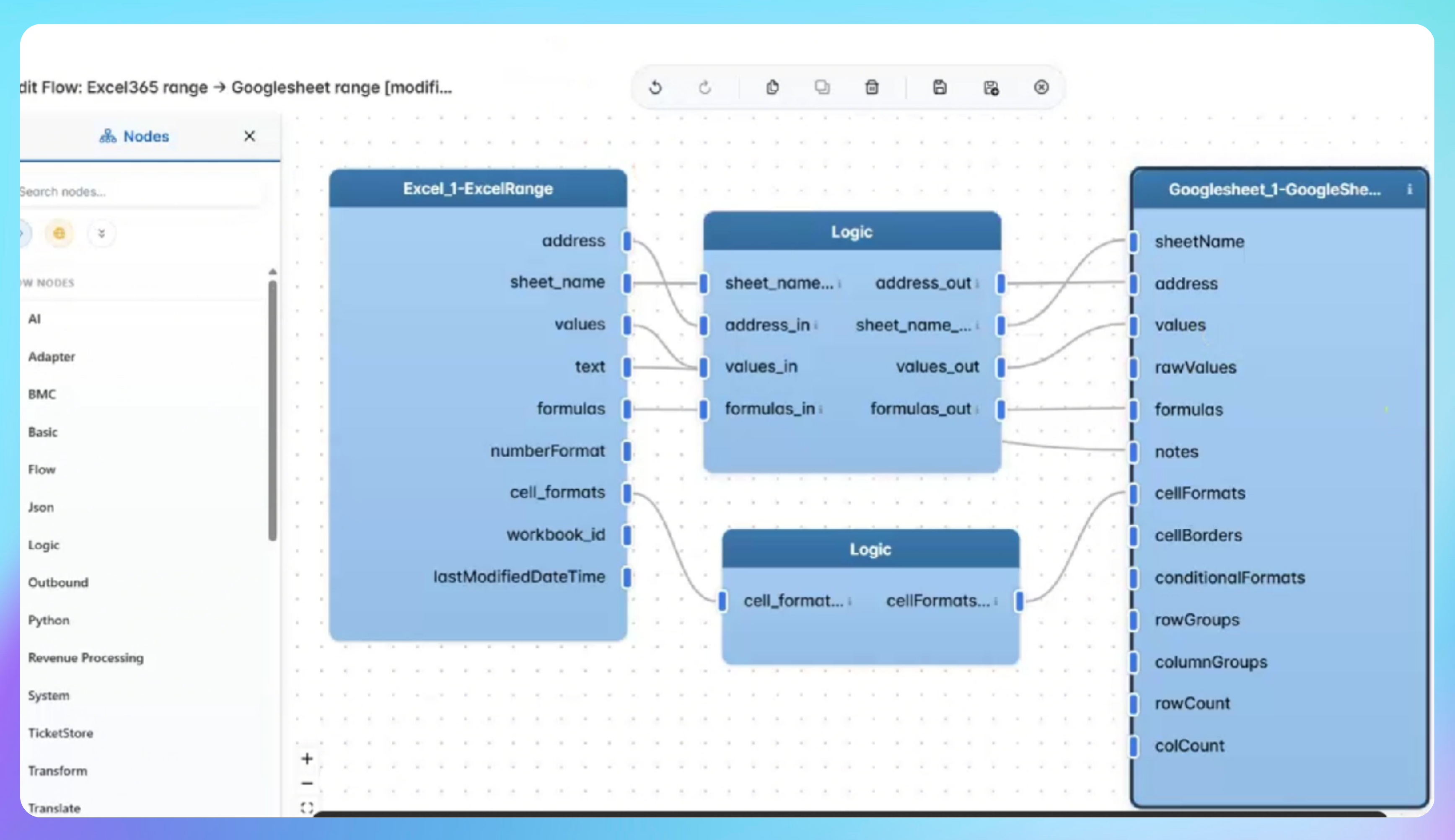

See Automated Range Sync in Action
- Data is entered or updated in a defined table or range in Excel 365, and IntelliPaaS detects the change in real time and begins processing the updated values for synchronisation to Google Sheets.
- IntelliPaaS maps the updated rows and columns to the corresponding range in the linked Google Sheets document, applying the new data values while preserving the existing sheet structure and layout.
- Formatting changes made in Excel—such as header font colours, cell styles, or bold formatting—are replicated to the matching cells in Google Sheets so both documents remain visually consistent and easy to read.
- Formulas added or modified in Excel are synchronised to Google Sheets so that calculated results remain consistent across both platforms, ensuring stakeholders in either environment always see the same computed values.
Use Case Highlights








Try for Free

.svg)


