


Email to Jira Issue Creation
Email <-> Jira
Automated Issue Creation from Outage Emails
When an outage notification arrives by email, someone has to read it, judge its severity and manually create a Jira issue before the engineering team can respond. During an active outage that manual step costs time the team does not have. This integration pack monitors a designated Gmail inbox for emails containing keywords such as "outage" and automatically creates a high-priority Jira Service Management issue the moment a matching email arrives. The email subject is mapped to the issue title and the full message body is transferred into the issue description so engineers have complete incident context from the moment the ticket is created - no manual entry, no missed alerts.
Without this integration, inbound outage emails sit in a shared inbox until someone spots them, reads them, determines they warrant a ticket and manually creates one in Jira. During an incident that sequence takes minutes your engineering team cannot afford to lose. Outside business hours or during high-alert periods when the inbox is flooded, critical outage notifications can easily be missed entirely, meaning the team has no Jira record of an active service failure until a customer or manager escalates directly.
With the integration running, every qualifying outage email triggers an immediate Jira issue without any human in the loop. Engineers open Jira to find a fully populated, high-priority ticket already waiting with the exact subject and body from the original email, so they can begin diagnosis immediately. Incident response timelines shrink because the ticket exists from the first moment of detection, SLA clocks start on time and nothing falls through the gap between email notification and structured issue management.
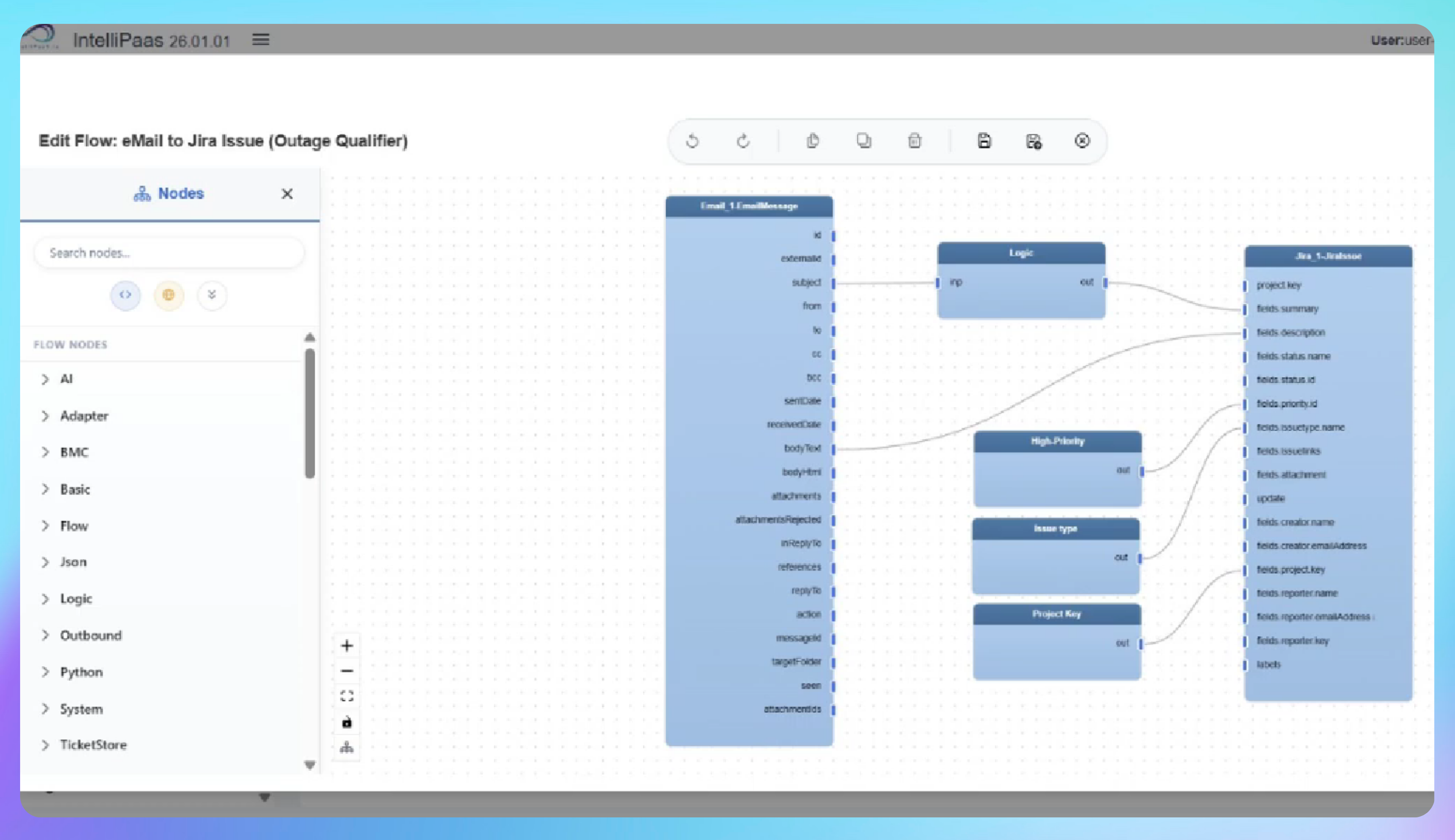

Automated Jira Issue Creation from Inbound Outage Emails
- A network outage email arrives in the monitored Gmail inbox with a subject line and full incident details in the body.
- IntelliPaaS detects the email, checks for the outage keyword and processes the message as a qualifying event.
- The email subject is mapped to the Jira issue title and the full message body is transferred to the issue description automatically.
- A new high-priority Jira Service Management issue is created with all incident details already populated so the engineering team can begin responding immediately.
Use Case Highlights








Try for Free

.svg)


