


Azure DevOps and BMC Helix Sync
Azure DevOps <-> BMC Helix
Bidirectional synchronisation of work items and incidents between Azure DevOps and BMC Helix for unified engineering and IT operations.
Engineering and IT service management teams need a shared view of incidents to resolve issues quickly. This integration pack creates a fully bidirectional connection between Azure DevOps and BMC Helix via IntelliPaaS. When a new work item is created in Azure DevOps, a corresponding incident is automatically generated in BMC Helix with matching title, description and priority. As engineers update the work item status or priority in Azure DevOps, those changes are immediately synchronised to the linked BMC Helix incident. Equally, when an IT agent updates the incident in BMC Helix, those changes flow back to Azure DevOps automatically, keeping both teams working from the same up-to-date information at all times.
Without this integration, engineering teams in Azure DevOps and ITSM teams in BMC Helix maintain entirely separate records of the same incidents. A developer moves a work item to done without any notification reaching Helix, leaving the ITSM incident open and the service management team unaware the issue is resolved. Equally, when an IT agent escalates urgency in Helix, that priority change never reaches the Azure DevOps work item. Both teams end up chasing each other for status updates through manual communication channels, slowing resolution and creating an unreliable audit trail across both systems.
With the integration live, developers and IT service managers each work in their preferred platform with full confidence that every update is reflected in the other system immediately. A developer updating a work item status in Azure DevOps sees that change propagate to Helix in real time. An IT agent resolving an incident in BMC Helix automatically closes the linked Azure DevOps work item without anyone having to co-ordinate the cross-platform update manually. Both teams operate from a consistent, accurate view of every incident from creation to closure, making resolution faster and cross-functional collaboration significantly less dependent on manual hand-offs.
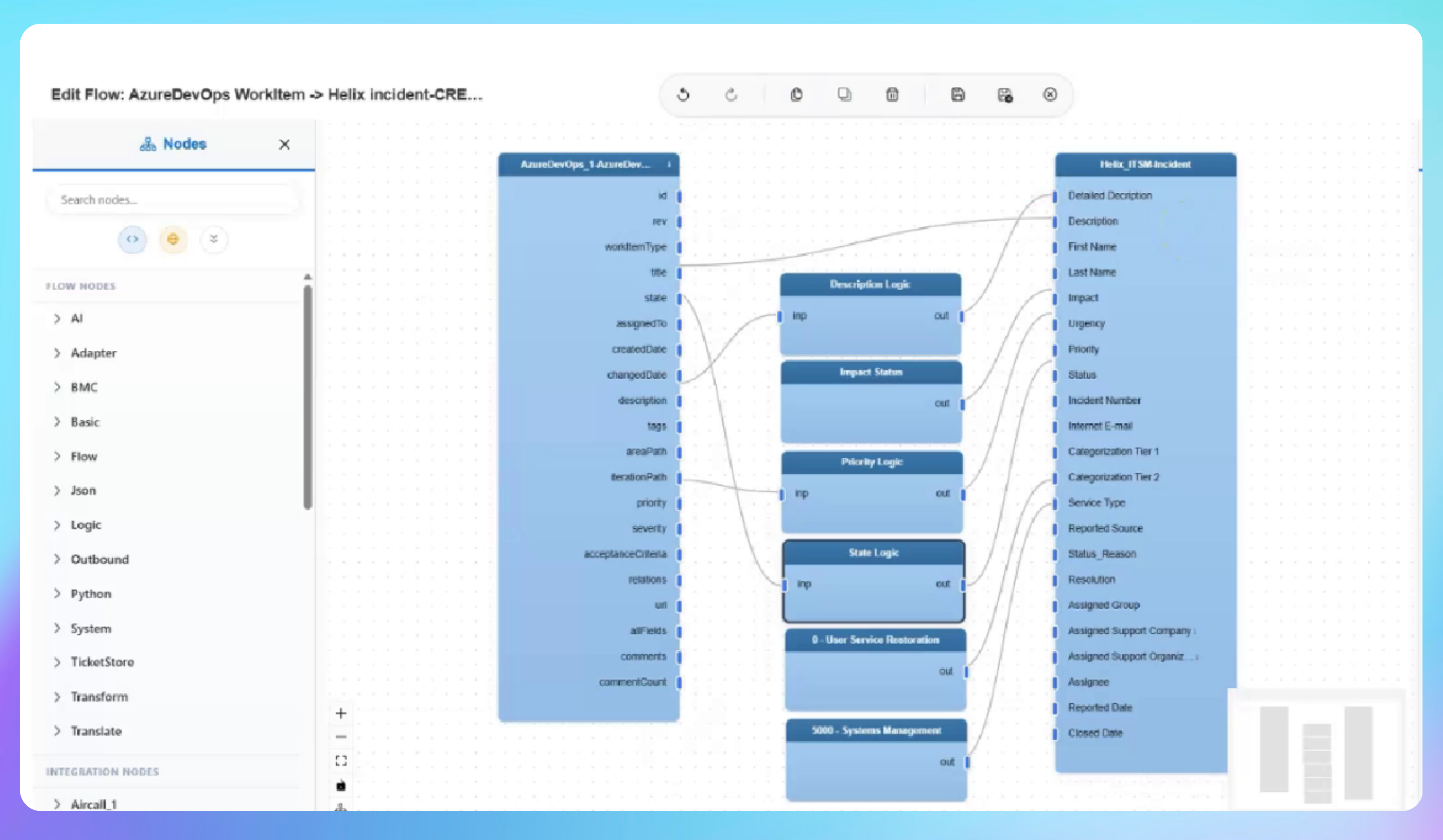

See Bidirectional Work Item and Incident Sync in Action
- A new work item is created in Azure DevOps with a title, description and priority set to one, and IntelliPaaS automatically creates a matching BMC Helix incident with the same details mapped to a high priority and assigned status
- The work item status is changed to doing and the priority lowered to three in Azure DevOps, which IntelliPaaS immediately reflects in BMC Helix with updated urgency and lifecycle stage values
- An IT agent updates the incident status to resolved in BMC Helix and IntelliPaaS propagates the change back to Azure DevOps, automatically updating the work item state from doing to done
Use Case Highlights








Connectors in this Pack
Explore the individual connectors used in this integration:



Try for Free

.svg)


