


Aircall to Freshdesk Missed Calls
Aircall <-> Freshdesk
Automatically create a Freshdesk ticket for every missed Aircall call and attach the voicemail transcription, so no customer enquiry is ever lost or forgotten.
The IntelliPaaS Aircall to Freshdesk Integration Pack ensures that no missed call is ever forgotten. When an inbound call to your Aircall number goes unanswered, IntelliPaaS detects the event and creates a new Freshdesk ticket, recording the caller's number and call details. As soon as the caller leaves a voicemail, a second event brings the voicemail transcription into the platform, which is then added as a note on the same ticket. Agents open Freshdesk to find a ready-made case containing the missed call record and the caller's message, enabling quick, well-informed follow-up without manual logging.
Missed calls are a silent revenue leak for businesses that depend on phone enquiries. Without a systematic process for capturing and following up on every unanswered call, callers who reached a competitor instead become permanently lost opportunities. Support teams often rely on staff manually checking voicemail, transcribing messages, and creating tickets—a process that is inconsistent, time-consuming, and frequently skipped during busy periods. IntelliPaaS automates the entire chain: from the moment an Aircall call goes unanswered to the moment a Freshdesk agent has a fully populated, prioritised ticket ready for action, no human intervention is required.
The operational improvements extend beyond individual call recovery. With every missed call captured as a structured Freshdesk ticket, support managers gain full visibility into call volume, response times, and resolution rates that were previously invisible. Recurring callers with unresolved issues can be identified by cross-referencing ticket history. SLA tracking becomes possible for missed-call follow-ups, driving accountability across the team. And because the voicemail transcription is attached as a note on the ticket, the agent who calls back has complete context before the conversation even begins—making every callback faster, more informed, and more likely to result in a satisfied customer.
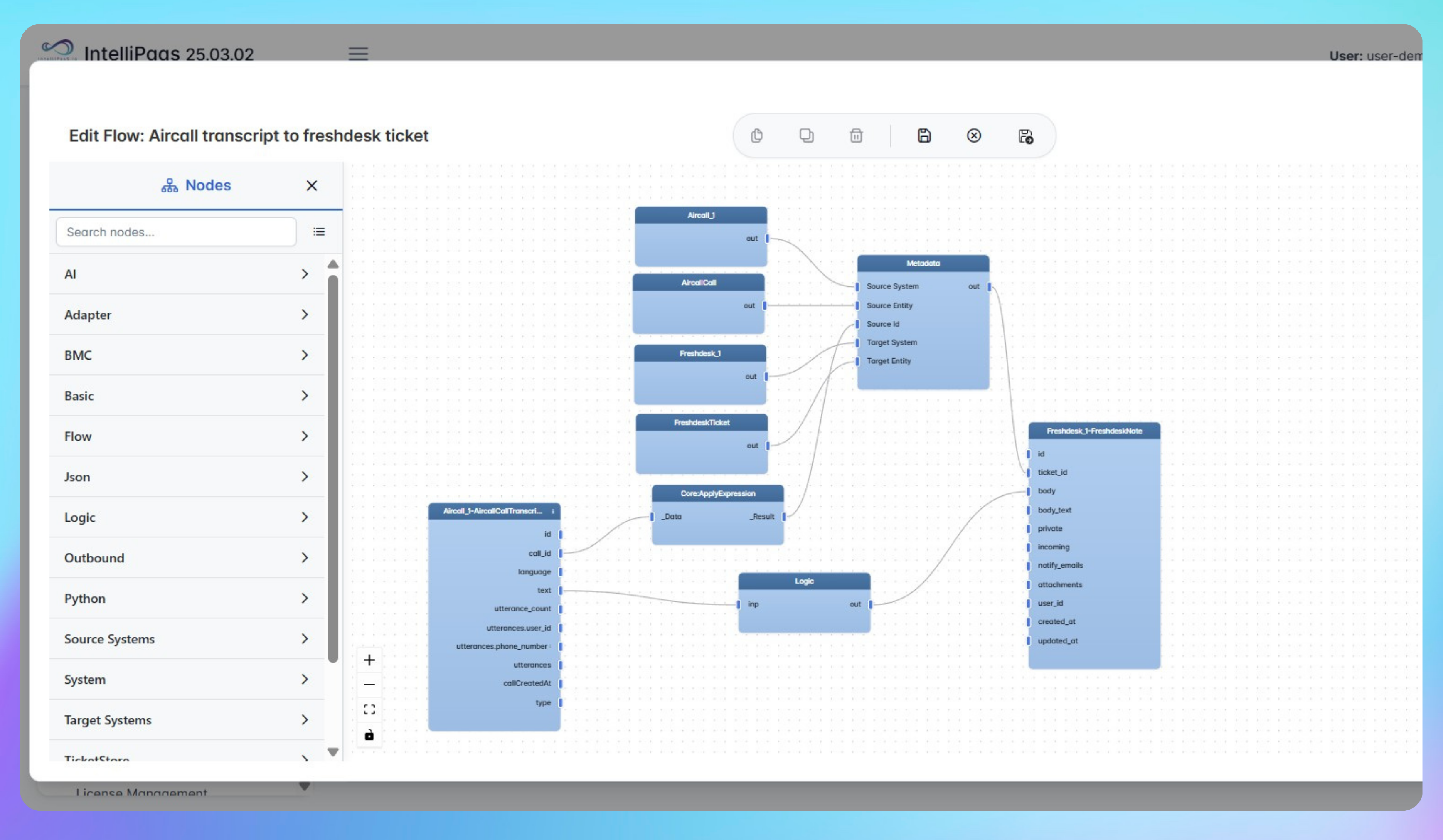

Automated Missed Call Ticketing with Voicemail Capture from Aircall to Freshdesk
- An inbound call to your Aircall number goes unanswered, and IntelliPaaS detects the missed-call event in real time via the Aircall webhook integration, capturing the caller's number and timestamp.
- A new Freshdesk ticket is automatically created with the caller's details, the call time, and any relevant call metadata pre-populated, and is immediately assigned to the appropriate support queue.
- When the caller leaves a voicemail, IntelliPaaS detects the voicemail event and retrieves the transcription, then appends it as a note on the existing Freshdesk ticket so both the missed call and the message are consolidated in one record.
- The agent assigned to the ticket can see the full context—caller number, call time, and exact voicemail transcript—before making the callback, enabling a faster, more informed response that improves first-call resolution rates.
Use Case Highlights











Try for Free

.svg)


